01 / WORKSPACES
Separate profiles. Clear head.
Each workspace has its own GitHub account, repositories, and default harness. Give work and personal agents separate configuration directories, logins, and history.
 consola
Keep the power of your terminal. Bring order to everything around it.
Claude Code, Codex, GitHub, and every thread of work — together in Consola.
macOS · Apple silicon and Intel
Click around the real app with a ready-to-use setup.
Your GitHub inbox, agent sessions, and changes await.
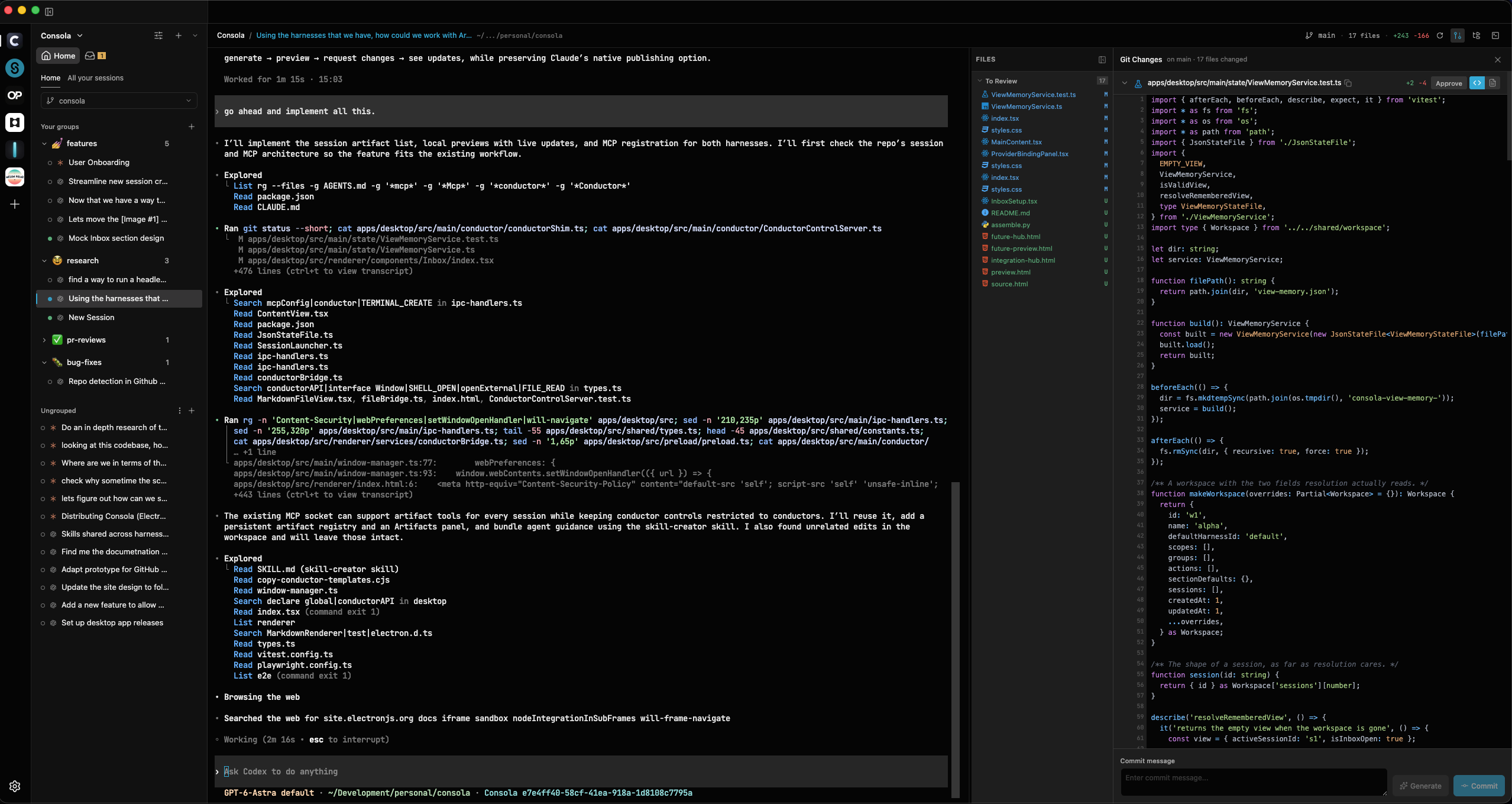
The actual Consola interface, with sample projects and simulated agent responses. No sign-in. No real agents or shell commands run. Swipe sideways to explore the desktop interface.
Keep your day job, side projects, and experiments
as separate as you need them to be.
Each workspace has its own GitHub account, repositories, and default harness. Give work and personal agents separate configuration directories, logins, and history.
Group conversations the way you organize channels in Slack: by project, purpose, or whatever makes sense to you. Drag sessions into place and pick up any thread.
Give sessions their own Git worktrees. Let one agent build a feature while another tackles a fix, with a dedicated checkout and terminal for each task.
Consola runs the actual Claude Code and Codex CLIs in a native terminal session. The commands, tools, permissions, and workflows you know are right there.
Update your installed CLI and new sessions use that version. Your harness keeps evolving, and your workspace comes along.
✳ Claude Code
Your tools. Your permissions. Your config.# Another session. Another harness.›_ Codex
Same native experience, inside Consola.Built on the GitHub CLI you already use.
Go from assigned work to a focused session.
See review requests and assigned issues in your workspace’s inbox, using its own GitHub account.
Define actions like “Review PR” or “Fix CI” with your own prompts. One click launches a session with the PR context in the right group.
Follow the agent’s work, inspect actual file changes in the review panel, then stage and commit alongside the conversation.
Read the code, build it yourself, change what you need, or help shape what comes next. Consola is an open source project under the ISC license.
Explore the sourceWorkspace settings, session history, and project files are stored on your machine. Your agents and GitHub connect directly to the services you choose.
No Consola account required.Your agents are ready. Give them a home.
Find the latest macOS installer on GitHub releases.
macOS · Apple silicon and Intel
Bring an installed, signed-in Claude Code or Codex CLI. Connect gh for GitHub workflows.